DigitalOcean and AWS Lightsail occupy the same market position: simplified cloud hosting with flat monthly pricing, aimed at developers and small teams who want the flexibility of a virtual private server without the operational complexity of full enterprise cloud platforms. Both start at around $5 per month, both include one-click application installers, and both position themselves as the accessible alternative to the bewildering pricing structures of mainstream AWS EC2 or Google Cloud. On the surface, they look nearly identical. The decision between them is where most comparisons fall short, because the differences that actually matter are not visible in a feature table.
The most important technical difference between these two platforms is not pricing, not interface design, and not the application marketplace. It is how each platform handles CPU performance under sustained load, and what happens to your site when traffic stays high for an extended period. Lightsail instances are built on burstable EC2 instance types. DigitalOcean Droplets use dedicated CPU resources. That distinction has direct consequences for WordPress sites, web applications, and any workload that sustains consistent CPU activity rather than operating in short bursts. This comparison explains that difference in practical terms, then covers every other factor you need to make a confident decision between the two platforms.
What DigitalOcean and AWS Lightsail actually are
DigitalOcean launched in 2011 and built its reputation as the developer-friendly cloud. Its core product is Droplets, which are virtual machines running Linux that can be launched in under a minute. Over the years DigitalOcean expanded its product line to include managed Kubernetes, the App Platform (a platform-as-a-service layer for deploying containerized applications), managed databases, object storage (Spaces), and block storage volumes. In 2026 DigitalOcean also offers GPU Droplets for AI and machine learning workloads, and has expanded its monitoring and observability tooling. The platform is known for its clean interface, transparent pricing, and an exceptionally large library of community tutorials covering thousands of use cases.
AWS Lightsail launched in 2016 as Amazon’s answer to developer-friendly VPS hosting. Where the full AWS platform offers over 200 services with complex per-resource pricing, Lightsail wraps a curated subset of AWS infrastructure behind a simplified interface with fixed monthly pricing. Lightsail includes virtual server instances, managed databases, object storage (compatible with AWS S3), load balancers, CDN distributions powered by Amazon CloudFront, and static IP addresses. The platform is designed to serve as an accessible entry point into the AWS ecosystem, with an explicit upgrade path to full EC2 and other AWS services when a project grows beyond what Lightsail handles.
The CPU performance issue: why Lightsail throttles under sustained load
This is the most consequential technical difference between the two platforms, and it is frequently underexplained in generic comparisons that focus on pricing tables and interface screenshots.
Lightsail instances run on burstable EC2 instance types, specifically the T2, T3, and T4g families. Burstable instances operate on a CPU credit system. When your instance is idle or running at low CPU utilization, it accumulates CPU credits. When your application needs more CPU capacity, it spends those credits to burst above its baseline CPU allocation. This model works well for workloads with irregular, short-duration CPU demands, such as a low-traffic WordPress blog that receives occasional page load requests with long idle periods in between.
The problem emerges when your workload sustains high CPU usage over an extended period. If your Lightsail instance exhausts its accumulated CPU credits, performance throttles dramatically and falls back to the instance’s baseline CPU allocation, which is a fraction of its burst capacity. For a T3-micro instance, the baseline CPU performance is around 10% of a single vCPU. A WordPress site generating WooCommerce orders, processing form submissions, running scheduled tasks, or receiving sustained traffic from a campaign or viral post can exhaust CPU credits within minutes under these conditions. The site does not go offline, but page load times increase dramatically, and dynamic operations like checkout processing slow to the point of affecting user experience.
DigitalOcean Droplets use dedicated vCPUs rather than burstable credits. The CPU allocated to your Droplet is yours consistently, regardless of how long your application sustains high utilization. A general-purpose Droplet delivers its full vCPU allocation at any traffic level, for any duration, without a credit system throttling performance during sustained load. For WordPress sites with consistent traffic, ecommerce operations, or any application that regularly sustains CPU activity, this difference is not theoretical. Independent benchmark testing by VPSBenchmarks has recorded meaningfully different sustained performance results between Lightsail and comparably priced DigitalOcean Droplets under load conditions that exhaust Lightsail’s burst credits.
DigitalOcean vs AWS Lightsail pricing: how the two platforms actually compare on total monthly cost
Both platforms start at approximately $5 per month for entry-level instances, making the headline pricing look equivalent. The total cost comparison requires looking beyond the instance price to bandwidth, snapshots, and the add-on services each platform includes or charges separately.
DigitalOcean Droplets start at $6 per month for 1GB RAM, 1 vCPU, 25GB SSD, and 1TB bandwidth. The 1TB bandwidth included per month is generous for most small to medium web applications. If your application exceeds the included bandwidth, DigitalOcean charges $0.01 per GB of overage, which is significantly lower than AWS’s data transfer out rates. Snapshots (manual backups of your Droplet state) are charged based on storage used, at $0.06 per GB per month. Automated weekly backups are available for 20% of the Droplet’s monthly cost. Floating IPs (static IP addresses that can be reassigned between Droplets) are free when assigned to a Droplet and charged at $4 per month only when they sit unassigned.
AWS Lightsail instances start at $5 per month for 1GB RAM, 2 vCPUs (burstable), 40GB SSD, and 2TB bandwidth. On paper the Lightsail plan looks superior at the same price point, with more storage and more included bandwidth. The 2TB bandwidth allowance resets monthly and applies only to outbound data transfer from the instance to the public internet. Data transfer between Lightsail and other AWS services (such as RDS or S3 in a different region) may incur AWS data transfer charges that bypass the Lightsail bundle. Snapshots in Lightsail are charged at $0.05 per GB per month. Static IPs are free when attached to a running instance and charged at $0.005 per hour when detached. For a straightforward low-traffic application, Lightsail’s pricing is marginally cheaper. For applications that sustain significant bandwidth or involve cross-service data transfer within AWS, the cost comparison requires closer examination.
DigitalOcean vs AWS Lightsail interface and developer experience
Both platforms are designed with simplicity as a priority, but their interfaces reflect different philosophies about what simplicity means for a developer.
DigitalOcean’s control panel is widely regarded as the cleanest and most intuitive in the cloud hosting category. The interface groups resources by project, making it easy to manage multiple applications or client sites from a single account. Creating a new Droplet from the control panel takes under two minutes. The configuration choices at launch are clear: you choose the distribution or application image, select the size, choose a data center region, configure SSH keys, and optionally add block storage or automated backups. The Droplet is running and ready in under 60 seconds on average. DigitalOcean’s API is clean and well-documented, making automation of Droplet creation and management straightforward for developers who work with infrastructure-as-code or CI/CD pipelines. The community tutorials library, with over 8,000 articles, is the most extensive of any cloud provider at this tier and covers an enormous range of practical setup and configuration scenarios.
AWS Lightsail’s interface is simpler than the main AWS console but retains some of the organizational patterns of the broader AWS ecosystem. For users who are already familiar with AWS, the Lightsail interface feels consistent with their existing experience. For users with no prior AWS experience who chose Lightsail specifically to avoid AWS complexity, the interface is functional but not as immediately intuitive as DigitalOcean’s. The application blueprints for one-click deployments are well-organized and cover the most common use cases including WordPress, Nginx, LAMP, Node.js, and Django. The AWS documentation for Lightsail is comprehensive, though some reviewers note it can lag behind recent interface changes.
DigitalOcean vs AWS Lightsail - Global regions: where Lightsail has a real advantage
AWS Lightsail offers more geographic regions than DigitalOcean, and for specific deployment scenarios this is a meaningful practical advantage that most comparisons do not emphasize enough.
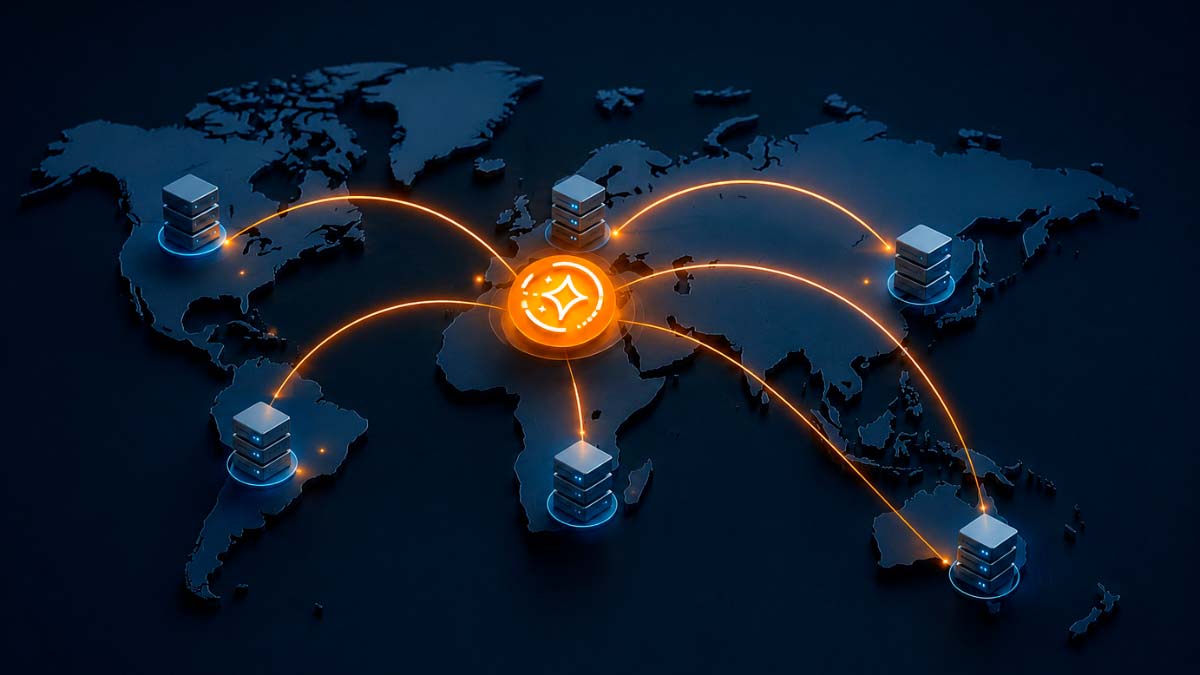
Lightsail is available in over 20 AWS regions, including locations in the United States (multiple), Europe, Asia Pacific, South America, the Middle East, and Africa. Specific regions include Mumbai, Seoul, Singapore, Tokyo, Sydney, São Paulo, Cape Town, Bahrain, and others that DigitalOcean does not cover. DigitalOcean operates data centers in 8 regions as of mid-2026: New York, San Francisco, Amsterdam, Singapore, London, Frankfurt, Bangalore, and Toronto. For a web application targeting users in a country or region not covered by DigitalOcean’s 8 locations, Lightsail may offer a meaningfully closer data center, reducing latency for end users.
This regional coverage difference is most relevant for applications serving audiences in the Middle East, East Asia (particularly Japan and South Korea), South America, or Africa. For applications primarily serving audiences in North America or Western Europe, DigitalOcean’s data center coverage is sufficient and the latency difference between an optimally placed DigitalOcean Droplet and an AWS Lightsail instance in the same general region is not significant.
Integration with the broader AWS ecosystem
AWS Lightsail’s most significant strategic advantage over DigitalOcean is its position within the AWS ecosystem. For developers and teams who are already using other AWS services, Lightsail’s native integration reduces complexity and data transfer costs.
Lightsail instances can be connected to an existing AWS Virtual Private Cloud (VPC) through VPC peering, allowing them to communicate with EC2 instances, RDS databases, Lambda functions, SQS queues, and any other AWS service on the same private network without routing traffic through the public internet. AWS IAM (Identity and Access Management) can be used to control access to Lightsail resources with the same policies governing the rest of your AWS environment. DNS is manageable through Amazon Route 53 alongside other AWS-hosted resources. For a team running a mixed infrastructure on AWS that wants to add a simple web application without spinning up a full EC2 configuration, Lightsail provides a reasonable on-ramp that keeps everything within one billing relationship and one management context.
DigitalOcean operates as an independent cloud provider without equivalent integration into AWS, Google Cloud, or Azure services. This is a limitation for teams whose existing infrastructure runs on AWS. It is not a limitation for teams whose projects are self-contained, for developers building new applications from scratch, or for agencies managing standalone client projects. For the majority of use cases in the small to medium web hosting segment, external ecosystem integration is not a requirement. But for development teams with existing AWS investments, it is a practical consideration that tilts the comparison toward Lightsail regardless of DigitalOcean’s other advantages.
Managed Kubernetes and advanced scalability
For developers who anticipate their applications growing to the point where they need container orchestration or more sophisticated infrastructure management, the platforms diverge significantly on what they offer beyond basic VPS instances.
DigitalOcean offers a fully managed Kubernetes service (DOKS) that is widely regarded as one of the most accessible managed Kubernetes implementations available. Setting up a Kubernetes cluster on DigitalOcean requires significantly less configuration than equivalent services on AWS or Google Cloud, and the pricing is transparent and predictable. DigitalOcean’s App Platform provides a platform-as-a-service layer for deploying containerized applications and static sites without managing server infrastructure directly. For teams that start on Droplets and want to move toward containerized deployments as their application matures, DigitalOcean provides a clear growth path that stays within the same platform and interface.
AWS Lightsail does not offer managed Kubernetes. Teams that outgrow Lightsail’s VPS model and need container orchestration must migrate to full AWS EKS, which is a significantly more complex service with a steeper operational learning curve and more complex pricing. The Lightsail to EKS migration path is functional but not seamless. This limitation is one of the most commonly cited reasons developers choose DigitalOcean over Lightsail when they anticipate container-based scaling in their roadmap.
DigitalOcean vs AWS Lightsail - WordPress hosting on each platform
WordPress is the most common workload deployed on both DigitalOcean and AWS Lightsail, and both platforms support WordPress through one-click installation options.
Lightsail’s WordPress blueprint creates a fully configured WordPress instance based on Bitnami’s WordPress stack, which includes Apache, MySQL, PHP, phpMyAdmin, and SSL management tools. The setup takes approximately two minutes and produces a running WordPress installation accessible via the instance’s public IP. Lightsail’s WordPress instances are well-suited for low to moderate traffic blogs and small business sites that do not sustain continuous high CPU activity. The CPU credit system that creates performance issues under sustained load is most consequential for WooCommerce stores with consistent transaction volume or WordPress sites running heavy plugins that sustain database and PHP processing continuously.
DigitalOcean offers a WordPress Droplet through its one-click application Marketplace, also using a Bitnami stack. The resulting WordPress installation performs similarly to Lightsail’s at low traffic volumes. The meaningful difference emerges under sustained load, where DigitalOcean’s dedicated CPU allocation maintains consistent page load times while a Lightsail instance that has exhausted its burst credits will deliver degraded performance. For WordPress sites on a growth trajectory where traffic will increase steadily over time, DigitalOcean is the more future-proof option at comparable pricing.
Customer support: paid tiers versus community-driven help
Customer support at the cloud infrastructure level differs from support at the managed hosting level. You are managing your own server, which means support covers platform-level issues (billing, account access, infrastructure availability, and networking) rather than application-level issues (WordPress plugin conflicts, PHP errors, or database optimization). Both platforms provide support, but the cost and quality of that support differ significantly.
DigitalOcean provides free community support through its forum and documentation for all customers. Paid support plans are available for teams that need response time guarantees and dedicated support engineers. The free tier support responds through a ticket system and is oriented toward billing and basic platform questions rather than deep technical infrastructure troubleshooting. DigitalOcean’s community tutorials library partially compensates for the limited free support tier: most configuration and troubleshooting scenarios a developer encounters on a Droplet have been documented in detail by the community. For teams managing production infrastructure without a paid support contract, the community resources are often sufficient for resolving common issues. DigitalOcean’s G2 ratings consistently place its support above AWS Lightsail‘s among users at this tier, with particular praise for responsiveness on platform-level issues.
AWS Lightsail support follows the AWS support tier structure. The Basic tier is free and provides access to documentation, whitepapers, and the AWS community forum. The Developer plan starts at $29 per month and provides access to technical support during business hours with response time guarantees. The Business plan starts at $100 per month and provides 24/7 technical support with faster response time SLAs. For a small team or individual developer running a simple web application on Lightsail, paying $29 to $100 per month for support on a $5 to $20 per month instance is economically disproportionate. Most Lightsail users rely on the free tier support and AWS documentation, which is comprehensive but more oriented toward enterprise AWS patterns than Lightsail-specific scenarios.
DigitalOcean vs AWS Lightsail security configuration: defaults and responsibilities
Security at the VPS level requires more active management than managed hosting, where the provider handles firewall configuration, security patching, and malware scanning as part of the service. On both DigitalOcean and AWS Lightsail, you are responsible for the security configuration of your instance and the applications running on it. The defaults each platform ships with differ in ways that affect your starting security posture.
AWS Lightsail instances ship with all ports closed by default, which requires you to explicitly open the ports your application needs through the Lightsail firewall interface. This default-closed approach means a freshly launched instance is not exposed to unauthorized access until you configure it. The firewall interface in Lightsail is simple and presents a predefined list of common applications and ports, making the configuration accessible to users without deep networking knowledge. This restrictive default is more secure out of the box and reduces the risk that a new user inadvertently exposes services they did not intend to make public.
DigitalOcean Droplets launch with all ports open by default, meaning a fresh Droplet is accessible on any port that has a listening service before you apply firewall rules. DigitalOcean provides a cloud firewall service that can be applied to Droplets, and the platform recommends configuring firewall rules as part of initial setup. The open-by-default configuration is more familiar to experienced Linux administrators who expect to control their own firewall via UFW or iptables, but it requires an additional configuration step before a production Droplet has a hardened security posture. For less experienced users, the DigitalOcean community tutorials provide detailed step-by-step guides for configuring firewalls, setting up fail2ban for brute-force protection, and hardening a Linux server, which partially compensates for the more permissive defaults.
DigitalOcean vs AWS Lightsail - Migrating between platforms: what moving actually involves
Migration between cloud platforms is a practical consideration for anyone evaluating a long-term hosting decision. Understanding what moving away from each platform requires helps you assess the real-world lock-in and operational flexibility of your choice.
Migrating away from DigitalOcean involves exporting your Droplet as an image snapshot and importing it to another provider that supports your distribution, or performing a fresh deployment on the new platform and migrating application data through standard Linux tools. DigitalOcean does not use proprietary formats for its virtual machines, and the standard Linux environment means migration is technically uncomplicated for an administrator familiar with Linux. DigitalOcean Spaces object storage uses an S3-compatible API, which means data stored there can be moved to AWS S3, Cloudflare R2, or any other S3-compatible storage service without format conversion. The platform does not create strong technical lock-in beyond the operational familiarity your team develops with its interface and tooling.
Migrating away from AWS Lightsail offers a unique upgrade path: you can export a Lightsail instance snapshot and import it as an Amazon Machine Image (AMI) for use on EC2. This path moves you deeper into AWS rather than out of it, which is by design. Migrating from Lightsail to a non-AWS provider follows the same process as migrating any Linux virtual machine: export the data, deploy fresh on the new platform, and restore the application. The Lightsail to EC2 path is smooth. The Lightsail to non-AWS provider path is standard Linux migration work. The practical lock-in concern for Lightsail is not technical but operational: teams that integrate deeply with AWS services through VPC peering and IAM policies create dependencies on the AWS ecosystem that make moving to an independent provider like DigitalOcean more disruptive than a simple instance migration.
DigitalOcean vs AWS Lightsail the verdict: when to choose each platform
Choose DigitalOcean when your workload sustains consistent CPU activity rather than operating in short bursts, when you are building or managing standalone projects that do not need integration with AWS services, when you want the best developer documentation and community tutorials in the cloud hosting category, when your application will eventually need container orchestration through a managed Kubernetes service, or when you are managing multiple client projects from a single account and want the cleanest multi-project management interface available at this price tier.
Choose AWS Lightsail when you are already running other infrastructure on AWS and want to keep everything within one ecosystem, when your target audience is concentrated in regions that Lightsail covers but DigitalOcean does not (Middle East, Japan, South Korea, South America, Africa), when you need native AWS service integration (VPC peering, IAM, Route 53, CloudFront), or when you are running a low-traffic WordPress site or simple web application that operates with irregular CPU demand and is unlikely to exhaust burst credits under normal conditions. The Lightsail to EC2 upgrade path is also a consideration for teams that want to start simple but need a clear route to enterprise-grade AWS infrastructure as their application scales.
Sources and references consulted: DigitalOcean pricing, G2 reviewers, trustradius.com, vpsbenchmarks.com, gtmetrix.com, digitalocean.com, aws.amazon.com/lightsail, web.dev.
Frequently asked questions about DigitalOcean vs AWS Lightsail
Yes, under sustained load. Lightsail instances run on burstable EC2 instance types that use a CPU credit system. When an instance sustains high CPU utilization long enough to exhaust its accumulated credits, performance throttles to the instance's baseline allocation, which can be a fraction of its burst capacity. This affects WordPress sites with consistent traffic, WooCommerce stores, and any application sustaining continuous CPU activity.
The entry-level pricing is comparable, with Lightsail starting at $5 per month and DigitalOcean at $6 per month. Lightsail's base plan includes more storage and bandwidth on paper. However, data transfer costs between Lightsail and other AWS services can add charges that bypass the included bandwidth bundle. For standalone applications, Lightsail is marginally cheaper at the entry level. At higher tiers and for applications with cross-service data transfer, the comparison requires calculating total cost rather than just instance pricing.
DigitalOcean is better for WordPress sites with consistent traffic or WooCommerce stores because its dedicated CPU allocation maintains performance under sustained load without the throttling risk of Lightsail's credit system. Lightsail works adequately for low-traffic WordPress blogs that operate with irregular, short-duration CPU bursts and long idle periods between requests.
Yes. Lightsail instances can connect to an existing AWS VPC through VPC peering, enabling communication with EC2, RDS, Lambda, and other AWS services on a private network. This AWS ecosystem integration is Lightsail's strongest advantage over DigitalOcean for teams already operating AWS infrastructure. DigitalOcean does not offer equivalent integration with external cloud provider services.
Yes. DigitalOcean offers a fully managed Kubernetes service (DOKS) that is widely regarded as one of the most accessible managed Kubernetes implementations available. AWS Lightsail does not offer managed Kubernetes. Teams that outgrow Lightsail and need container orchestration must migrate to full AWS EKS, which is significantly more complex.
AWS Lightsail has more global regions, operating in over 20 locations compared to DigitalOcean's 8. Lightsail covers regions that DigitalOcean does not, including the Middle East, Japan, South Korea, South America, and Africa. For applications serving audiences in those regions, Lightsail's geographic coverage is a meaningful practical advantage.
Yes. AWS Lightsail is designed with an upgrade path to full EC2 and other AWS services. You can export a Lightsail instance snapshot and import it as an EC2 AMI, then launch it on standard EC2 infrastructure. The migration requires more configuration than staying within Lightsail, but the path exists and is documented by AWS. This upgrade path is one of Lightsail's strategic selling points for teams expecting to need enterprise AWS infrastructure eventually.
DigitalOcean has the best community documentation in the cloud hosting category at this tier. Its library of over 8,000 community tutorials covers an enormous range of practical deployment, configuration, and troubleshooting scenarios. AWS Lightsail documentation is comprehensive but reflects the broader AWS documentation style, which some developers find less approachable. For beginners and independent developers, DigitalOcean's community resources are a significant practical advantage.