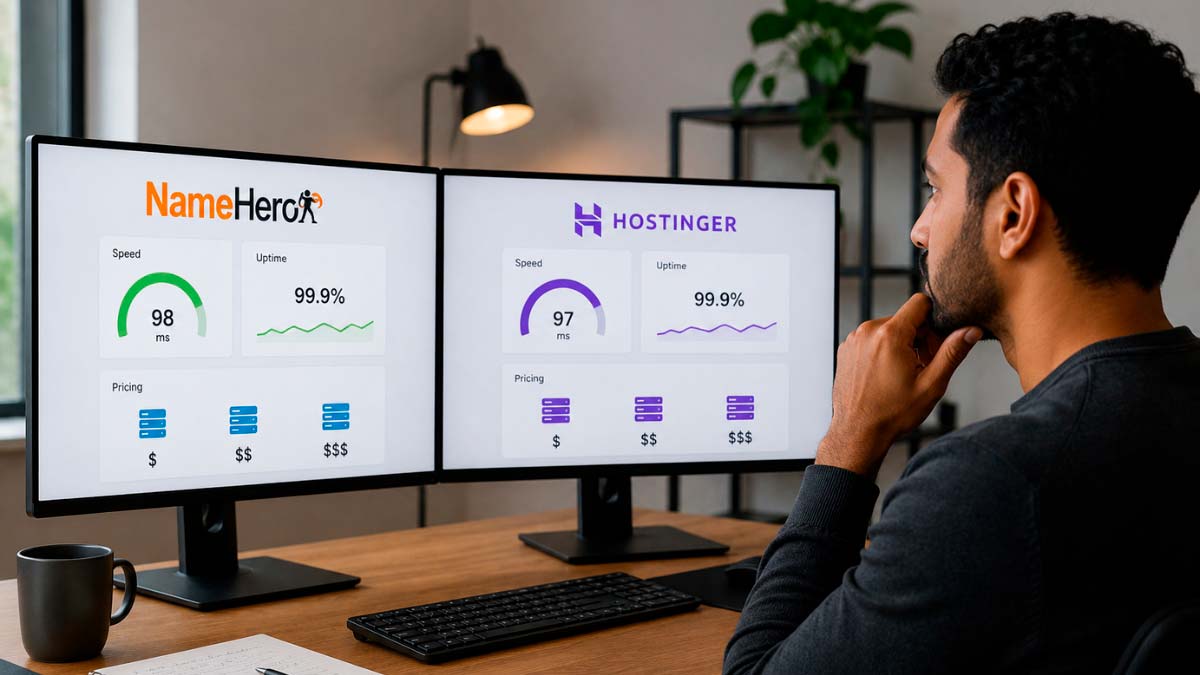
NameHero vs Hostinger are frequently compared because both use LiteSpeed web server technology, both offer competitive entry-level pricing, and both are popular choices among WordPress site owners who want better performance than standard Apache-based shared hosting without moving to a managed VPS. At first glance they look similar. Look closer at the technical specifications and the comparison shifts meaningfully in NameHero’s favor on the hardware layer, while Hostinger maintains a genuine advantage on price, global data center coverage, and interface accessibility for beginners.
This article compares NameHero vs Hostinger across storage hardware (NVMe versus SATA SSDs), object caching capabilities (Redis availability), server isolation architecture (CloudLinux versus shared environment), LiteSpeed configuration depth, pricing at promotional and renewal rates, data center coverage, control panel experience, support quality, and the verdict on which platform fits which type of user. The storage hardware and caching differences are the most technically significant parts of this comparison and receive detailed treatment, because they are rarely explained clearly in standard comparisons that focus primarily on pricing tables.
NameHero vs Hostinger - Company background: scale versus specialization
Hostinger is one of the largest hosting providers in the world by customer count, serving tens of millions of websites globally from its headquarters in Kaunas, Lithuania. The company’s growth strategy has been built on aggressive promotional pricing, a large marketing budget, and a high-volume, low-margin business model that uses scale to maintain profitability. The result is a hosting product optimized for accessibility and price competitiveness rather than maximum technical depth at the entry tier. Hostinger’s proprietary hPanel control panel, AI website builder, and continuously expanding product line reflect a company investing heavily in product development and customer experience. The scale also creates a tension: at tens of millions of customers on shared servers, resource allocation decisions inevitably involve trade-offs that favor cost efficiency.
NameHero was founded in 2015 and is headquartered in Kansas City, Missouri. The company is American-owned and operated, which matters to some buyers who prefer US-based hosting companies. NameHero positions itself as a performance-focused hosting provider that competes with larger providers on technical specifications rather than on price alone. The company is significantly smaller than Hostinger, which translates into a more personal support experience and a product line that is narrower but technically more detailed in its hardware specifications. NameHero’s founder Ryan is publicly active in the hosting community, including through YouTube content that explains technical hosting concepts, which gives the company a transparency profile that is unusual among hosting providers.
NameHero vs Hostinger - The storage hardware difference: NVMe versus SATA SSDs
The storage hardware difference between NameHero and Hostinger is the most substantive technical advantage NameHero holds and is frequently glossed over in comparisons that treat all SSDs as equivalent.
Not all solid-state drives perform the same. SSDs connect to the server through different interface protocols that determine how fast data can be read from and written to the drive. SATA SSDs use the older Serial ATA interface, which was originally designed for spinning hard drives. The SATA interface caps sequential read speeds at approximately 550 megabytes per second. NVMe SSDs connect through the PCIe interface, which is a much faster data pathway. NVMe drives deliver sequential read speeds of 3,000 to 7,000 megabytes per second or higher depending on the PCIe generation, which is five to thirteen times faster than SATA under sequential read conditions. For random read and write operations (which is how web server storage actually behaves in practice), NVMe also outperforms SATA significantly.
Why does this matter for a website? WordPress generates page content dynamically by reading PHP files, querying a database, and assembling the result. Even with LiteSpeed caching serving cached HTML for most page requests, uncached requests (first-time visitors, logged-in users, WooCommerce checkout flows, post previews, admin operations) require disk I/O. On a server with NVMe storage, those disk reads complete faster, which reduces PHP execution time and produces lower TTFB for uncached requests. On a server with SATA storage, the disk is the bottleneck even if the CPU and RAM are generous.
NameHero uses NVMe SSD storage on its Turbo Cloud and Business Cloud plans. The entry-level Starter plan uses SSD storage that may be SATA-based depending on configuration, but higher-tier plans explicitly provide NVMe. Hostinger uses SATA SSDs on most of its shared and cloud hosting plans rather than NVMe. This means that at comparable price points, NameHero is delivering faster physical storage hardware for the plans where it matters most: the mid-tier plans where a site owner is paying for a performance upgrade from the cheapest available option.
NameHero vs Hostinger - Object caching: Redis on NameHero versus no object cache on Hostinger shared plans
Object caching is a server-side performance layer that sits between WordPress and the database. Understanding what it does and why its availability matters helps explain one of the clearest functional differences between these two providers on shared hosting plans.
WordPress generates pages by querying a database repeatedly. On a standard WordPress installation without object caching, every page request that requires dynamic content triggers multiple database queries: fetching post content, user data, widget configurations, navigation menus, plugin settings, and other persistent data. Even if the page itself is served from LiteSpeed’s full-page cache for anonymous visitors, logged-in users, WooCommerce cart sessions, search results, and other non-cacheable requests still hit the database directly for every component of the page.
An object cache stores the results of frequently repeated database queries in server memory. Redis is the most common and performant object cache implementation available for WordPress. When Redis is active, the first request for a piece of data queries the database and stores the result in Redis. Subsequent requests for the same data retrieve it from Redis memory rather than re-querying the database. The result is faster response times for dynamic requests, lower database load, and better handling of concurrent logged-in users. For WooCommerce stores, membership sites, and any WordPress installation with significant logged-in user activity, Redis object caching produces measurable performance improvements over an equivalent setup without it.
NameHero includes Redis support on its cloud hosting plans, accessible through cPanel. Activating Redis on a NameHero WordPress site requires enabling it through cPanel and installing a WordPress object cache plugin, which is a technical task but well-documented and supported by NameHero’s support team. NameHero also includes MariaDB rather than standard MySQL for database operations. MariaDB is a MySQL fork maintained by the original MySQL development team after the Oracle acquisition of MySQL, and it consistently outperforms standard MySQL on read-heavy workloads in independent benchmarks.
Hostinger’s shared and cloud hosting plans do not include Redis object caching. Object cache is unavailable on Hostinger’s shared hosting regardless of plan tier. This is not a minor footnote: for WordPress sites with logged-in users, for WooCommerce stores, and for any site where database performance is a bottleneck, the absence of object caching on Hostinger’s shared plans is a real limitation that no amount of LiteSpeed full-page caching can fully compensate for.
NameHero vs Hostinger - CloudLinux isolation: resource protection you cannot see but definitely feel
CloudLinux is a Linux distribution specifically designed for shared hosting environments, and NameHero’s use of it represents a meaningful infrastructure quality difference over Hostinger’s standard shared hosting model.
In a standard shared hosting environment, dozens to hundreds of websites share the same server operating system and kernel. When one account on a server experiences a sudden traffic spike, executes a runaway process, or suffers a brute-force attack that consumes CPU, that event can degrade performance for every other account on the same server. This is the neighbor effect: your site’s performance is partially determined by what other customers on your server are doing at any given moment. Most shared hosting providers manage this through soft resource limits and monitoring, but there is no hard isolation between accounts at the kernel level.
CloudLinux solves this through kernel-level isolation. Each hosting account runs in a Lightweight Virtual Environment (LVE) that provides hard CPU, RAM, I/O, and connection limits per account. When an account on a CloudLinux server exhausts its CPU allocation, that account is throttled, but the effect is contained entirely within that account’s LVE. The neighboring accounts continue to run at their normal performance levels. From the perspective of a NameHero customer, this means your site’s performance is not affected by traffic spikes, attacks, or runaway processes on other accounts sharing your server.
NameHero uses CloudLinux on its shared hosting servers. This means every NameHero shared hosting customer benefits from LVE-based resource isolation regardless of what other customers on the same server are doing. Hostinger uses a standard shared hosting architecture without the same level of kernel-level isolation. The neighbor effect is a real phenomenon on Hostinger’s shared servers, particularly during periods of heavy load. For sites that experience traffic at irregular intervals or that run WooCommerce stores with periodic promotional spikes, the CloudLinux isolation on NameHero provides more consistent performance guarantees.
NameHero vs Hostinger - Pricing: promotional rates, renewal reality, and what you actually pay per resource
The pricing comparison between NameHero and Hostinger is less straightforward than the headline numbers suggest, and the most useful comparison is cost per unit of resource rather than cost per plan.
Hostinger’s shared hosting starts at $2.99 per month for the Premium plan on a 48-month commitment, and the Business plan with daily backups and better performance starts at $3.99 per month. These are promotional rates that renew at approximately $9.99 and $12.99 per month respectively. The entry pricing is genuinely low, and the 48-month commitment locks in the promotional rate for four years, which reduces the effective annual cost compared to shorter commitments. However, at the technical resource level, Hostinger’s Premium and Business plans provide 100 to 200 GB of SATA SSD storage and 1 to 2 GB of RAM allocated per account. There is no Redis object cache and no NVMe storage on shared plans.
NameHero’s entry-level Starter plan starts at approximately $3.95 per month on a 36-month commitment and renews at full price, typically $9.99 to $10.99 per month. The Turbo Cloud plan, which is the tier that includes NVMe storage, Redis, and more CPU/RAM, starts at approximately $5.95 per month on a promotional 36-month basis and renews higher. The price per unit of resource calculation favors NameHero at comparable tiers: when you compare NameHero Turbo Cloud to Hostinger Business, NameHero provides more CPU cores, NVMe rather than SATA storage, Redis object caching, and CloudLinux isolation at a comparable or sometimes lower effective monthly rate depending on the commitment term.
The honest cost comparison must also account for what Hostinger includes that NameHero does not. Hostinger’s AI website builder, which competes with commercial website builders, is included at no extra cost. Hostinger’s global data center network, which spans more locations than NameHero’s two data center regions (US and Netherlands), provides geographic flexibility that NameHero cannot match. Hostinger’s onboarding experience is faster and simpler, which has real cost value for users who bill by the hour or who want to minimize the time spent on hosting setup. These are genuine inclusions that have value alongside the hardware specifications.
NameHero vs Hostinger - Data center coverage: global network versus US-focused footprint
Data center geographic coverage is one of the clearest advantages Hostinger holds over NameHero, and it matters significantly for sites serving international audiences.
Hostinger operates data centers in Lithuania (Europe), Netherlands, United Kingdom, United States, Singapore, India, Indonesia, Japan, South Korea, Brazil, and Australia. This global footprint allows website owners to select a data center geographically close to their primary audience regardless of where that audience is located. For a site targeting Southeast Asian visitors, Hostinger‘s Singapore, Indonesia, or India data center options reduce server response latency meaningfully compared to a US-based deployment. For a site targeting South American audiences, Hostinger’s Brazil data center is a significant practical advantage.
NameHero operates data centers in the United States and in the Netherlands. This covers North America and Western Europe reasonably well for sites serving those audiences. For sites with significant audiences in Asia, South America, or Australia, NameHero’s data center footprint creates a real latency disadvantage compared to providers with local server options in those regions. NameHero mitigates this partially through integration with QUIC.cloud CDN, which caches HTML content at 70+ global points of presence. QUIC.cloud caching can significantly reduce TTFB for international visitors on cacheable pages, but uncacheable requests (WooCommerce, logged-in users, dynamic pages) still route to the origin server, where geographic distance matters.

LiteSpeed configuration: both use it, but not identically
Both NameHero and Hostinger use LiteSpeed web server technology, which is a frequently cited feature in comparisons between them. The presence of LiteSpeed on both platforms is real. The configuration depth differs in ways that affect real-world performance.
LiteSpeed is a high-performance web server that replaces Apache and provides native caching through the LiteSpeed Cache API (LSCAPI). For WordPress, the LiteSpeed Cache plugin leverages this API to generate and serve full-page HTML cache from server memory with extremely low CPU overhead compared to Apache with an equivalent caching plugin. Both NameHero and Hostinger use LiteSpeed on their shared and cloud hosting plans, which means both providers deliver LiteSpeed’s performance advantages over Apache-based competitors.
The configuration differences matter at the next level. NameHero’s LiteSpeed implementation includes PHP Workers configuration that can be adjusted based on plan tier. PHP Workers determine how many simultaneous PHP requests your hosting account can handle. More PHP Workers means your site handles more concurrent dynamic page requests before new requests queue behind existing ones. NameHero’s Turbo plan tier provides more PHP Workers than its base plans, which improves handling of traffic spikes and concurrent logged-in users. Hostinger’s LiteSpeed implementation on shared plans does not offer the same level of PHP Worker configuration visibility or adjustment.
NameHero also integrates with QUIC.cloud CDN, which is the CDN developed by LiteSpeed Technologies specifically to complement the LiteSpeed Cache plugin. QUIC.cloud uses the HTTP/3 protocol (QUIC) natively, which provides connection setup advantages over HTTP/2 particularly for users on high-latency connections. When QUIC.cloud’s HTML caching is active, TTFB for cacheable pages is served from QUIC.cloud’s 70+ global points of presence rather than from the origin server, reducing perceived latency for international visitors substantially. This CDN integration is available on both NameHero and Hostinger plans, but the combination of QUIC.cloud with NameHero’s NVMe storage and Redis object cache creates a more complete performance stack.
NameHero vs Hostinger - Control panel: cPanel versus hPanel
The control panel difference between NameHero (cPanel) and Hostinger (hPanel) repeats the familiar trade-off between standardization and simplicity that appears in many hosting comparisons.
NameHero uses cPanel on all shared and cloud hosting plans. cPanel is the industry standard, universally documented, and immediately familiar to any user with prior hosting experience. Every guide, tutorial, and third-party tool written for cPanel applies directly to NameHero’s environment. SSH access is available on all plans. WP-CLI is supported, allowing developers to manage WordPress installations from the command line. Imunify360, a server security suite that includes real-time malware scanning, brute-force protection, and web application firewall functionality, is included on NameHero plans at no additional cost. This security layer operates at the server level and does not require WordPress plugin installation.
Hostinger uses hPanel, its proprietary control panel designed for user-friendliness rather than comprehensiveness. hPanel organizes the most common hosting tasks into a clean, visual interface that significantly reduces the learning curve for first-time hosting users. Setting up WordPress, creating email accounts, managing domains, and accessing basic server settings are all achievable through hPanel’s interface without technical knowledge. The limitation is that hPanel is not cPanel, meaning third-party guides for cPanel do not apply, and developers who have built workflows around cPanel tools will need to adapt to a different environment. Hostinger’s AI website builder integration into hPanel is a genuine differentiator for users who want to build websites quickly without a separate design tool.
NameHero vs Hostinger - Support quality: independent and personal versus large-scale
Both providers offer 24/7 support, but the experience differs in character due to the scale difference between them.
NameHero’s support team operates at a smaller scale that produces a more personalized experience. Support is available 24/7 via live chat, phone, and tickets. The team handles both hosting infrastructure questions and WordPress application-level issues without redirecting customers to external resources. Users consistently report that NameHero support agents engage with technical problems directly rather than defaulting to generic troubleshooting scripts. Phone support is included at no additional cost on all plans. The smaller company size means the same specialists often handle escalations, producing more consistent resolution quality than large-provider support tiers where escalations change agents.
Hostinger’s support operates at a scale that requires more standardized processes. Live chat support is available 24/7 and uses an AI chatbot for initial query triage before routing to a human agent. The human agents are available and generally responsive, but the depth of technical engagement on complex issues varies more than at NameHero due to the larger support team size and higher volume of incoming queries. Hostinger does not offer phone support. Email ticket support is available for non-urgent issues. For straightforward questions about account setup, billing, and common WordPress configurations, Hostinger’s support is adequate. For complex technical issues requiring server-level investigation, NameHero’s smaller and more specialized team typically produces better outcomes.
NameHero vs Hostinger - Backups and migration: what each provider includes by default
Backup policies and migration support are practical considerations that affect your risk exposure and the time cost of switching providers, and the two platforms differ in meaningful ways on both.
NameHero includes daily automated backups on all cloud hosting plans. The backups are stored off-site and include both files and databases. On higher-tier plans, backup retention extends to multiple days, giving you a rollback window that covers common scenarios like discovering a site problem several days after it occurred. Free website migration is included on all NameHero plans and is handled by NameHero’s technical team rather than a self-service tool. The migration team transfers your files and databases, verifies that the site functions correctly on the new server, and assists with DNS cutover. For sites migrating from cPanel-based hosting, the process is typically straightforward because NameHero’s cPanel environment accepts standard cPanel backup files. NameHero’s migration team has consistently received positive feedback in user reviews for its responsiveness and thoroughness.
Hostinger includes weekly backups on its Premium shared hosting plan. Daily backups require the Business plan or above, or can be added as a paid add-on on lower-tier plans. The backup restoration process is available through hPanel and is generally user-friendly, but the weekly backup frequency on the entry plan means potential data loss of up to six days if a problem occurs between backups on a site that relies on the lowest-tier plan. Hostinger includes one free website migration for new accounts, handled by a migration team. The process is functional, but some users report that Hostinger’s migration team is slower to respond than NameHero’s for complex migrations involving multiple sites or non-standard configurations.
For users who are moving from another shared hosting provider, the migration experience difference is worth factoring into the comparison, particularly if you have multiple sites to migrate simultaneously. NameHero’s team-handled migration with no per-site limit mentioned at the entry level is a more generous offering than Hostinger’s single free migration policy. For agencies or users managing several sites, this difference reduces the time and cost of switching providers.
NameHero vs Hostinger - Security features: Imunify360 versus standard shared hosting security
Security at the shared hosting level is an area where NameHero holds a documented advantage through its inclusion of Imunify360 on all plans.
Imunify360 is a comprehensive server security suite developed by CloudLinux Inc. that provides real-time malware detection and removal, brute-force attack prevention at the server level, a web application firewall that filters malicious requests before they reach your WordPress installation, and kernel-level exploit protection through integration with CloudLinux’s Secure links and hardened kernel features. On NameHero, Imunify360 runs automatically without requiring any configuration from the account holder. Security incidents are detected and responded to at the server level, which means that even a WordPress installation with outdated plugins has a first line of defense at the infrastructure level before an attacker can exploit application-level vulnerabilities.
Hostinger includes free SSL certificates, DDoS protection at the server network level, and a modsecurity web application firewall on its shared hosting plans. These are standard security features and they are not negligible. However, Hostinger does not include an equivalent to Imunify360‘s real-time malware scanning and automated removal on its shared hosting accounts. Malware scanning is available as a paid Malware Scanner add-on. For users who want comprehensive server-level security active by default without paying extra, NameHero’s Imunify360 inclusion is a genuine differentiator.
NameHero vs Hostinger - The verdict: hardware performance versus scale and accessibility
NameHero is the better choice for users who want maximum shared hosting performance within a budget, specifically through the combination of NVMe storage on Turbo/Business plans, Redis object caching, CloudLinux kernel-level isolation, and the full LiteSpeed plus QUIC.cloud CDN stack. For WordPress content sites targeting US or European audiences, for WooCommerce stores where dynamic request performance matters, and for users who want cPanel standardization with the ability to fine-tune PHP Workers and server-level caching, NameHero delivers a more complete technical stack than Hostinger at comparable or slightly lower effective per-resource pricing. The American ownership, phone support included at all tiers, and Imunify360 security are additional practical advantages.
Hostinger is the better choice for users who prioritize the lowest absolute entry pricing, who are building their first website and want the most beginner-friendly onboarding experience available in shared hosting, who need to target audiences in Asia, South America, or Australia and require data center proximity that NameHero cannot provide, or who want AI-powered website building tools integrated into the hosting platform without additional cost. Hostinger’s global data center footprint is a genuine capability that NameHero cannot match, and for sites where audience geography outside North America and Europe is the primary performance driver, Hostinger’s 10+ data center regions represent a real advantage regardless of the underlying storage hardware difference.
The comparison hinges on what you are optimizing for. If you are optimizing for technical performance per dollar on a site serving North American or European audiences, NameHero’s hardware specifications and caching stack justify its slightly higher effective price over Hostinger’s SATA SSD plans without Redis. If you are optimizing for absolute affordability, beginner accessibility, or geographic flexibility for international audiences, Hostinger’s advantages in those dimensions are real and meaningful. Neither provider is universally better. The right choice is determined by which of these trade-offs matches your specific situation.
Sources and references consulted: NVMe performance, HTTP/3 QUIC, WordPress hosting, Hostinger AI tools, namehero.com, hostinger.com, vpsbenchmarks.com, onlinemediamasters.com, g2.com.
Frequently asked questions about NameHero vs Hostinger
Most Hostinger shared and cloud hosting plans use SATA SSDs rather than NVMe. NameHero's Turbo and Business Cloud plans use NVMe, which delivers significantly faster disk read and write speeds for dynamic WordPress operations.
Yes. NameHero cloud hosting plans include Redis, configurable through cPanel. Hostinger's shared plans do not offer Redis object caching, which limits dynamic request performance for WooCommerce stores and sites with logged-in users.
CloudLinux provides kernel-level resource isolation between hosting accounts. NameHero uses it. Hostinger does not. With CloudLinux, one account's traffic spike cannot degrade performance for neighboring accounts on the same server.
Hostinger's entry pricing is lower, starting at $2.99 per month versus NameHero's $3.95 per month. However, NameHero provides more CPU, NVMe storage, and Redis at comparable tiers, making the per-resource cost competitive on mid-tier plans.
No. NameHero operates in the US and Netherlands only. Hostinger has 10+ data centers including Asia, South America, and Australia. For sites targeting non-US or non-European audiences, Hostinger's geographic coverage is a meaningful advantage.
cPanel. Hostinger uses its proprietary hPanel. cPanel is the industry standard with universal documentation and developer familiarity. hPanel is more beginner-friendly but less portable if you migrate to another provider later.
Yes. NameHero includes phone support on all plans at no extra cost. Hostinger does not offer phone support. Users who want direct voice access to technical support without a paid add-on should choose NameHero.
Yes. The combination of NVMe storage, Redis object caching, CloudLinux isolation, and LiteSpeed with PHP Workers makes NameHero's Turbo plan a strong choice for WooCommerce stores serving US or European customers.